WSCA Fall Conference

Stacks Image 318

CONFERENCE APP INFO FOR PRESENTERS

UPDATING YOUR SPEAKER PROFILE
Stacks Image 260
  • Go to https://dashboard.ascaconferences.org/admin
  • Log in with the email address used for your session proposal.
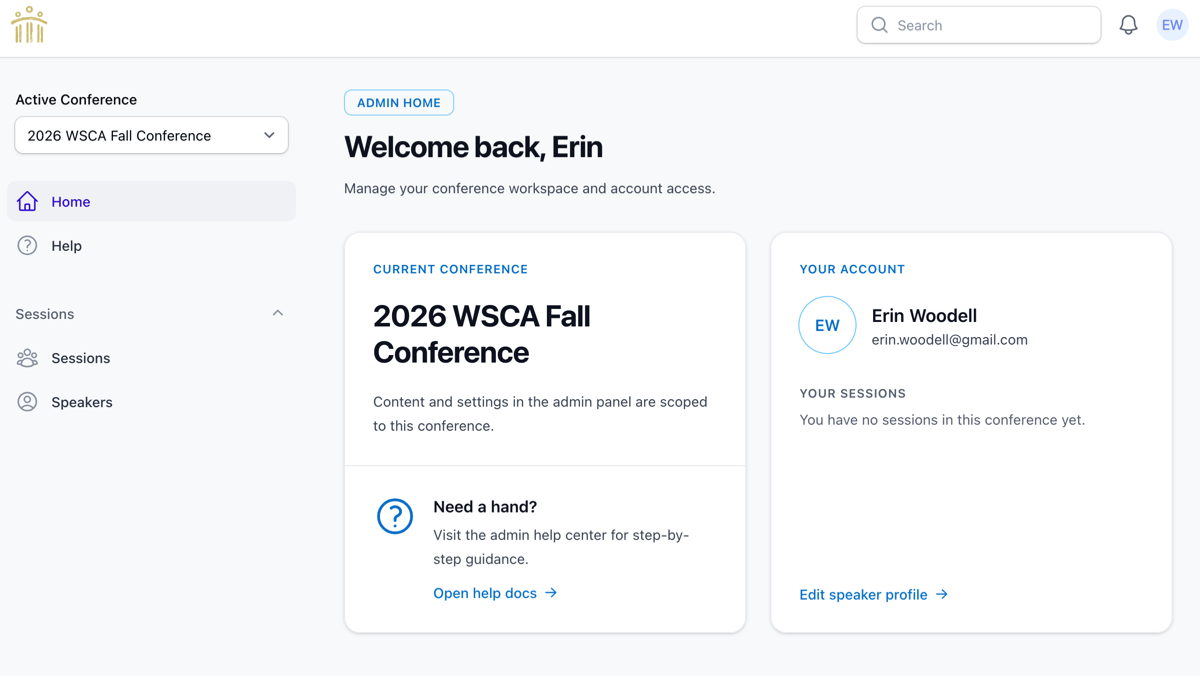
  • Once logged in, verify that 2026 WSCA Fall Conference is listed as the Current Conference (box on the left)
  • To update your speaker profile, click on the Edit Speaker Profile link at the bottom of the Your Account box on the right.
  • Proceed with adding your position, institution, and bio.
  • Don't forget to click SAVE when you're done!
ADDING YOUR SLIDE DECK AND HANDOUTS
Stacks Image 290
Stacks Image 292
  • Go to https://dashboard.ascaconferences.org/admin
  • Log in with the email address used for your session proposal.
  • Once logged in, verify that 2026 MSSCA Conference is listed as the Current Conference (box on the left)
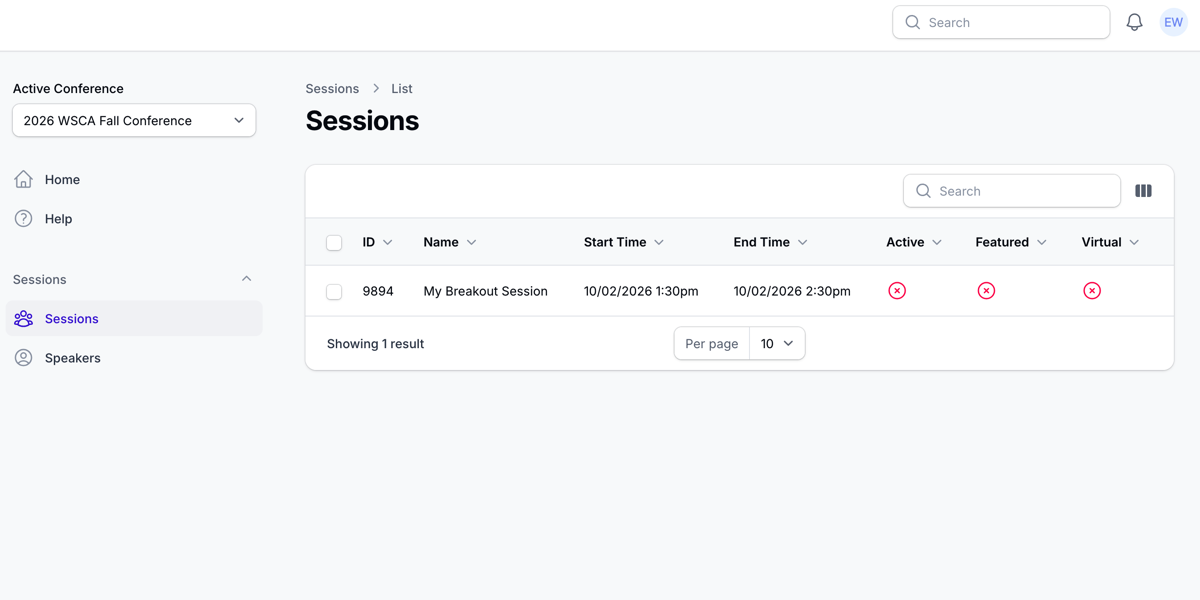
  • Click on Sessions on the far left side of the screen.
  • Sessions you are presenting will appear in the box. Click on the session you are speaking for.
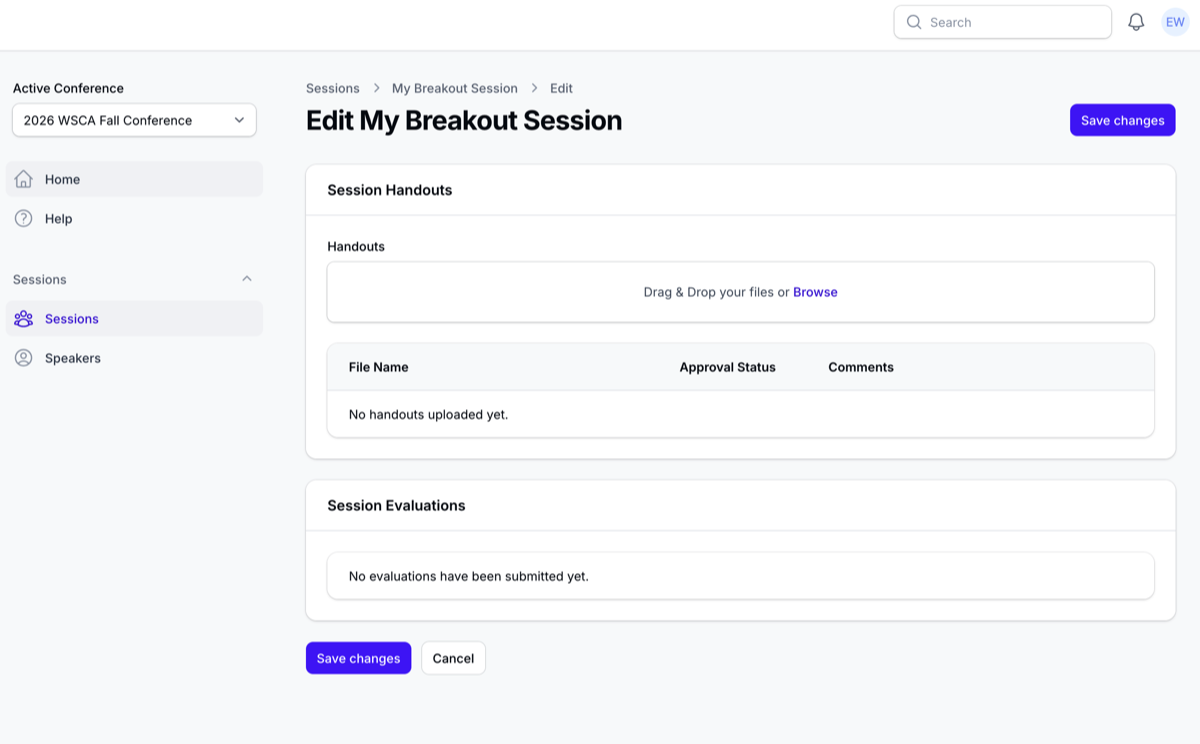
  • To add your slide deck and handouts, either click within the "Handouts" area to upload your file or drag and drop a file
  • Once the upload is complete it will turn green.
  • IMPORTANT: Click on SAVE CHANGES. Your uploads are not saved until you click SAVE CHANGES.
TO VIEW YOUR EVALUATIONS
Stacks Image 316
  • Go to https://dashboard.ascaconferences.org/admin
  • Log in with the email address used for your session proposal.
  • Click on Sessions on the far left side of the screen.
  • Sessions you presented will appear in the box. Click on the session you wish to view evaluations for.
  • Any evaluations submitted will appear on the screen in the box under your handouts.

Clock hours will be granted to all participants.

© 2026 Washington School Counselor Association | Contact Us